The real board.
Not a mock-up.
Captures of Chrona Scheduler 0.1.0 in a model-driven app, with sample data. What you see here is what installs.
People in lanes. Shifts as bars.
Drag a bar to move it, drag its edges to resize it. Open work waits in the unscheduled panel on the right; drop it on a person to assign it. Coverage per hour runs along the top.
The free scheduler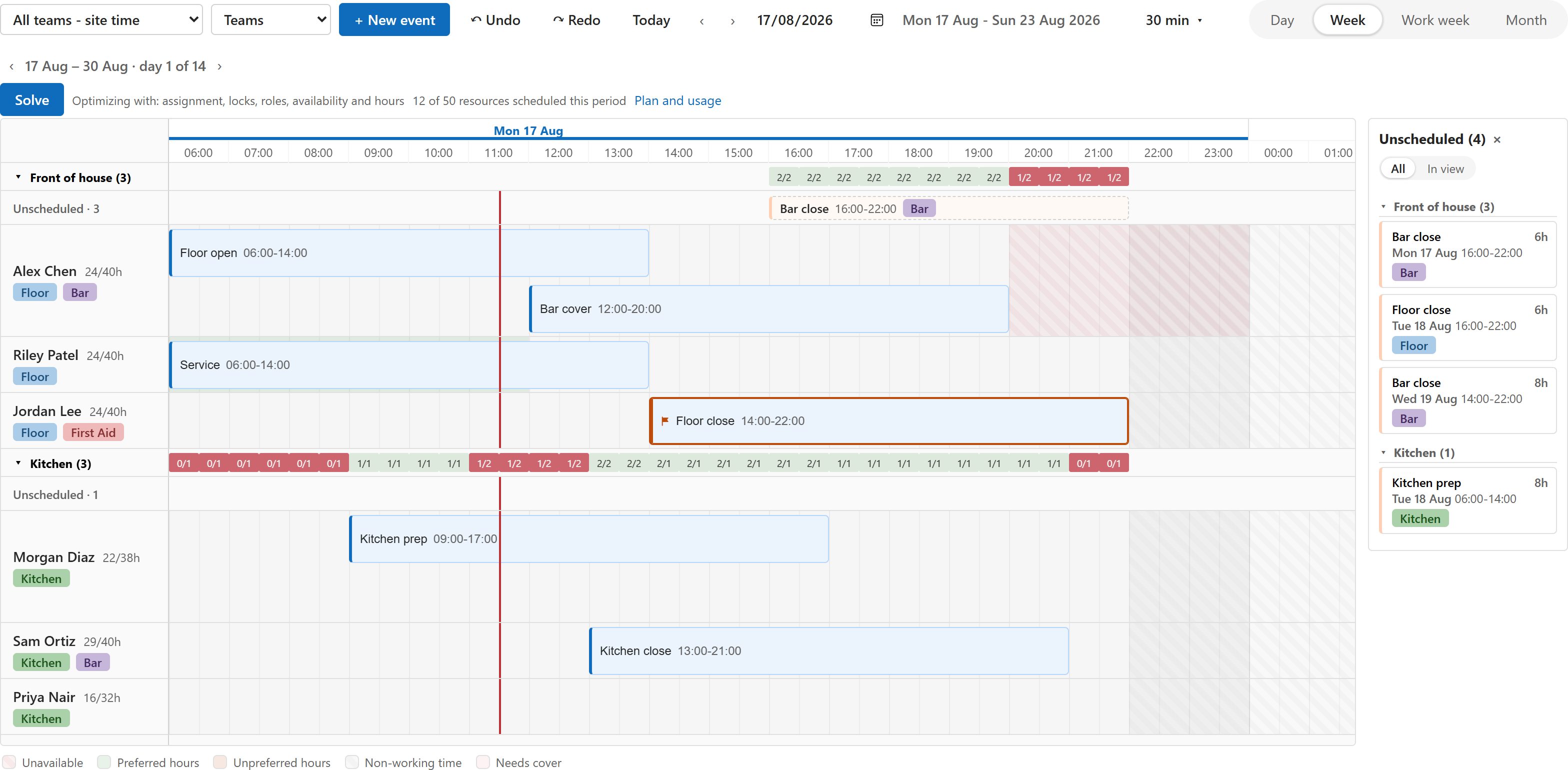
Right-click stays yours.
Open record, Chrona’s own actions and the commands your app already has, on the same menu. The scheduler is a component on your view, not a second application.
Put it on a view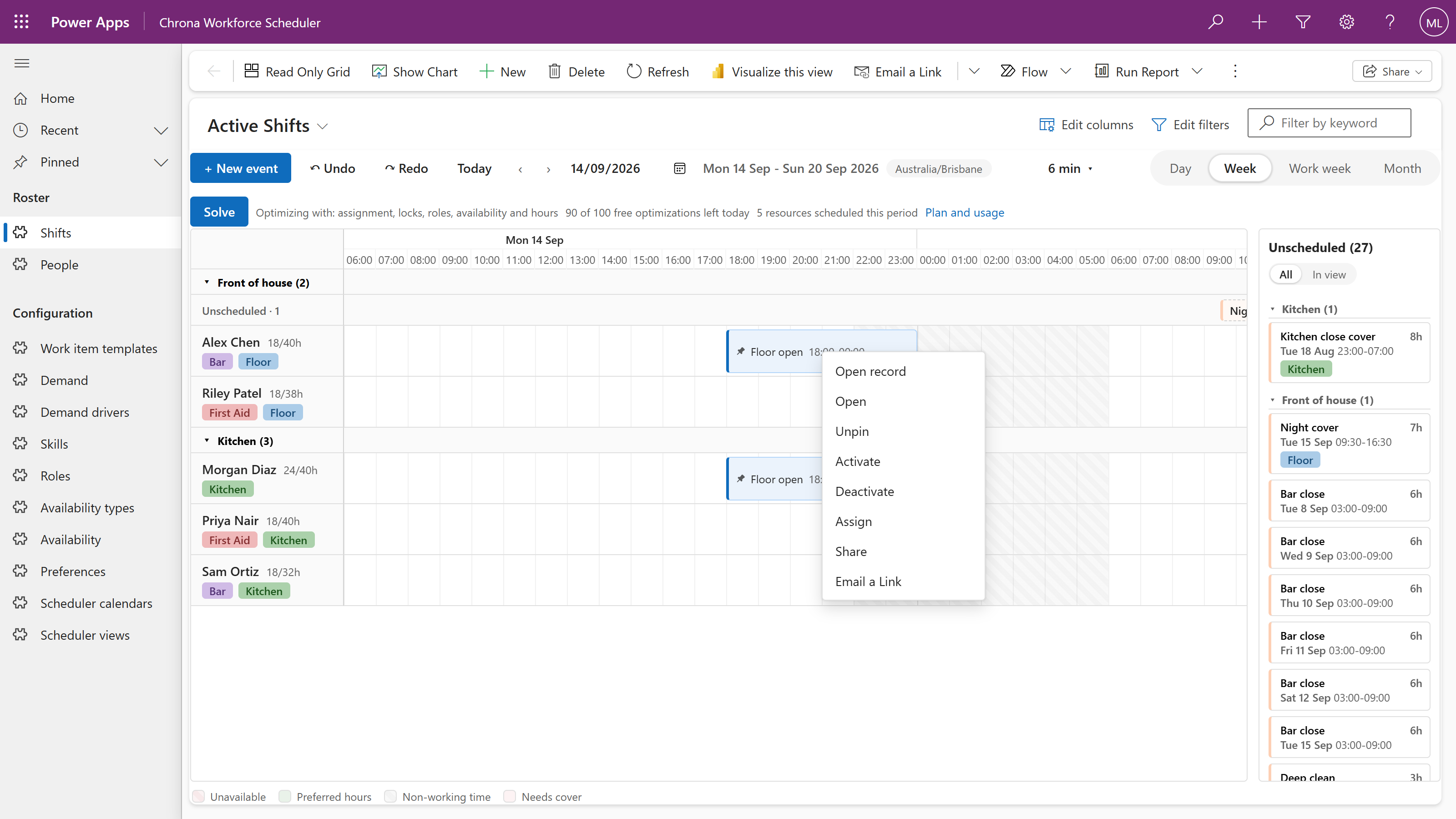
The day calendar.
For a table without a resource lookup, the board becomes a calendar. Day, week, work week and month scales; every edit still saved to your row.
Where things are set up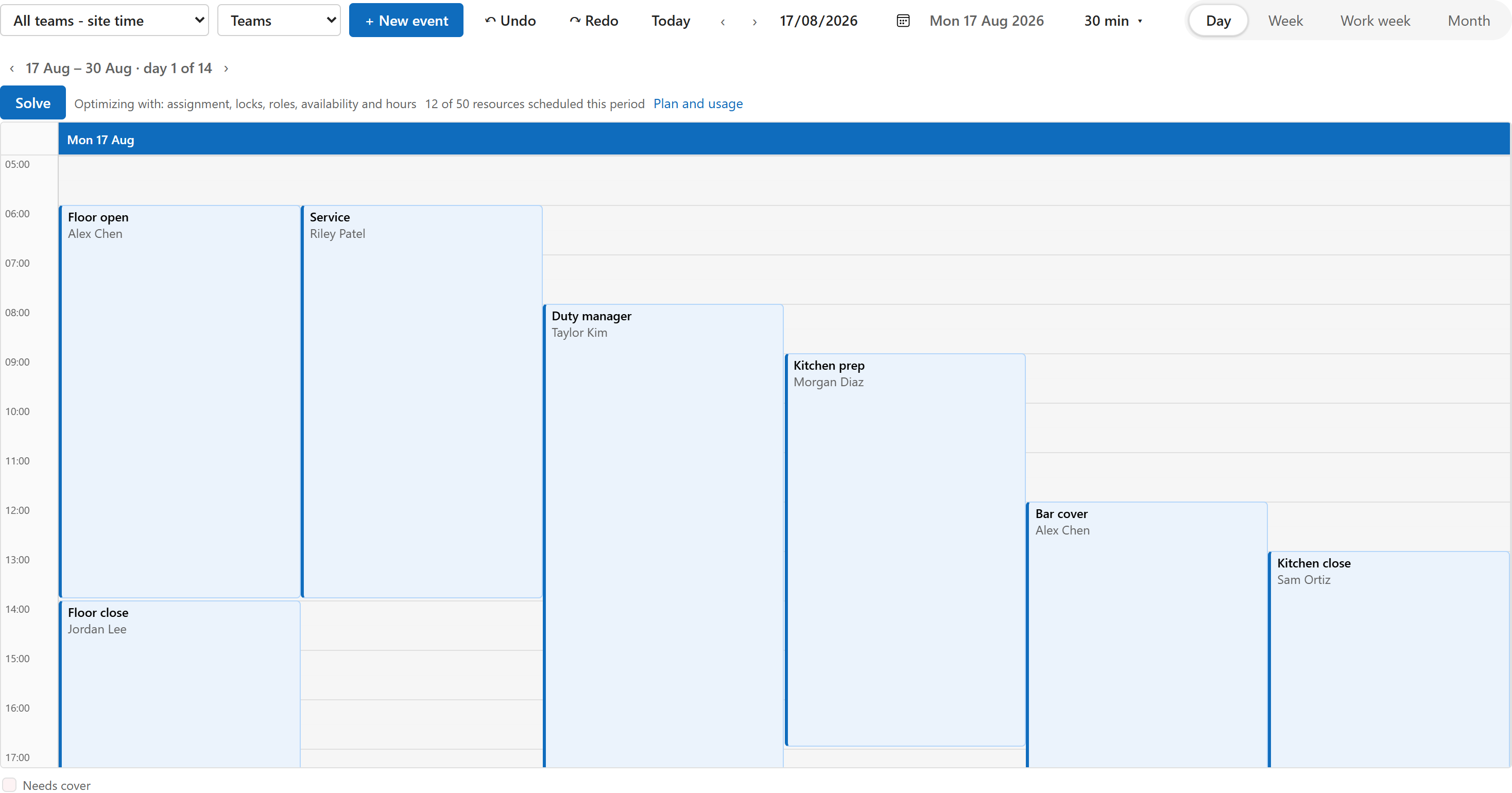
Three bindings that matter.
Title, Start and End are required. Resource, a lookup to the person or asset, gives you lanes. Everything else is optional and explained in the bindings page.
Every binding explained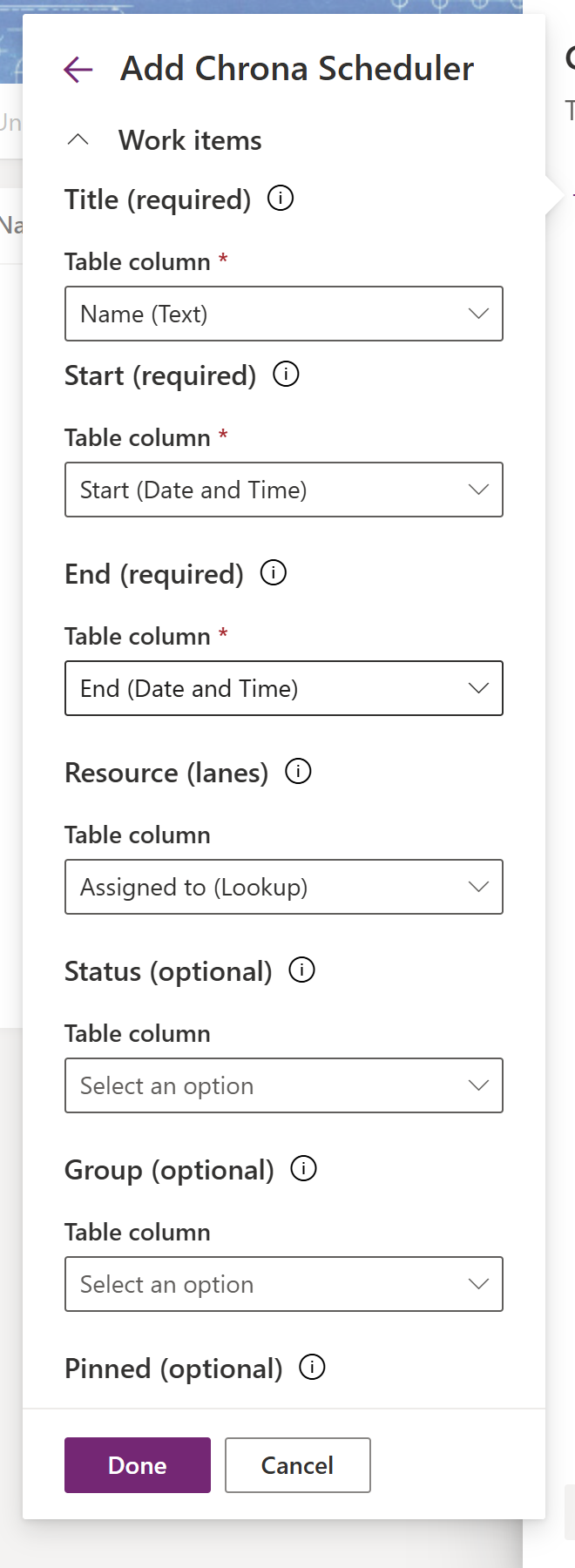
It shows before it asks.
The Optimize dialog runs a sample before and after, and lists exactly what a real run would send. Try a free sample run connects your environment; there is no sign-up form.
How Optimize works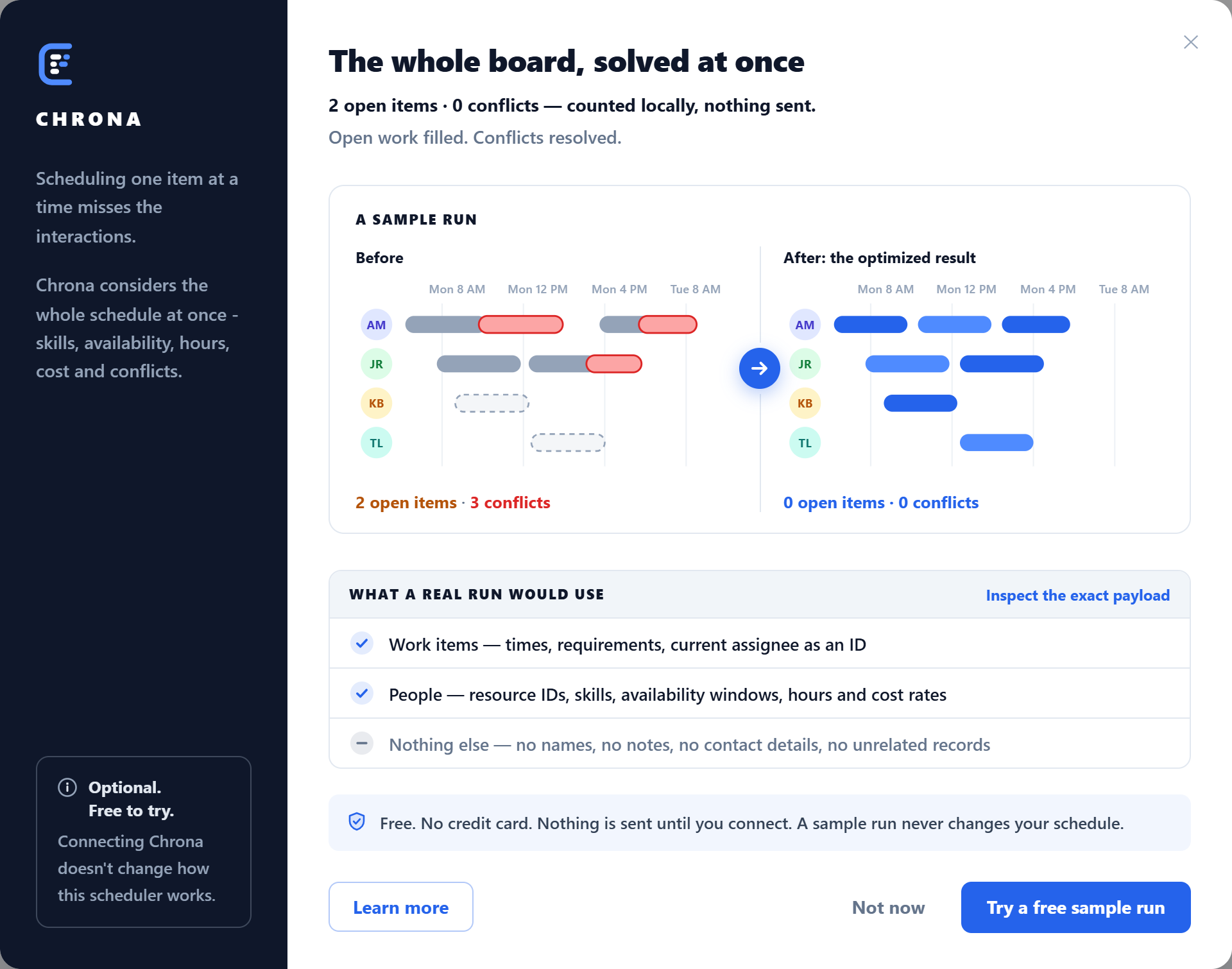
A proposal, on the same board.
Proposed placements carry a dashed ring, a moved shift leaves a ghost at its old place, and the list names every change. Drop the ones you disagree with, then Apply. Nothing is written before that.
What a run sends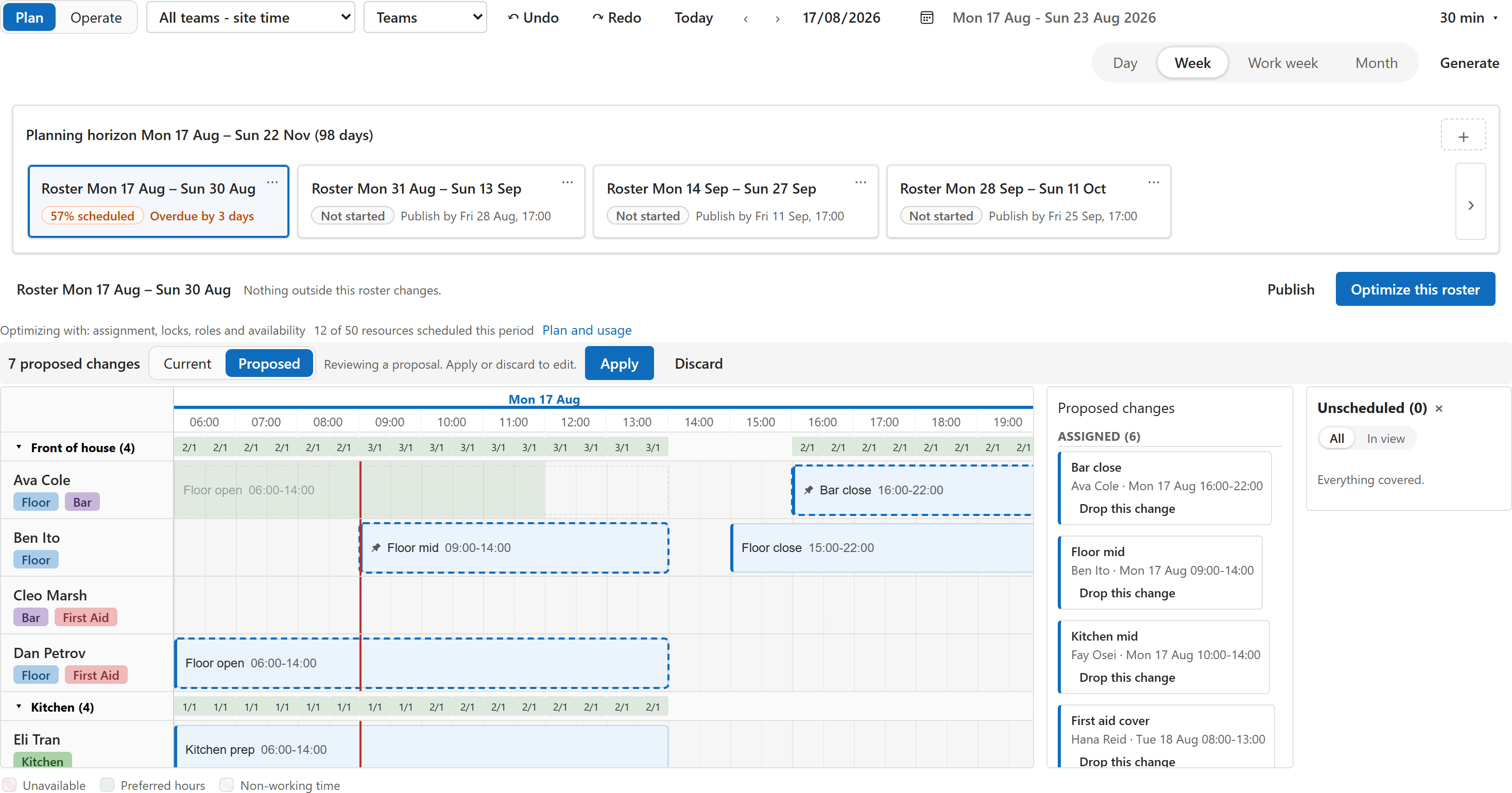
When scheduling turns into rostering.
Roster periods on the horizon, coverage per hour against demand, people with their skills and hours, and the unscheduled panel. The paid solution adds the tables and the app; the board stays the same.
Workforce planning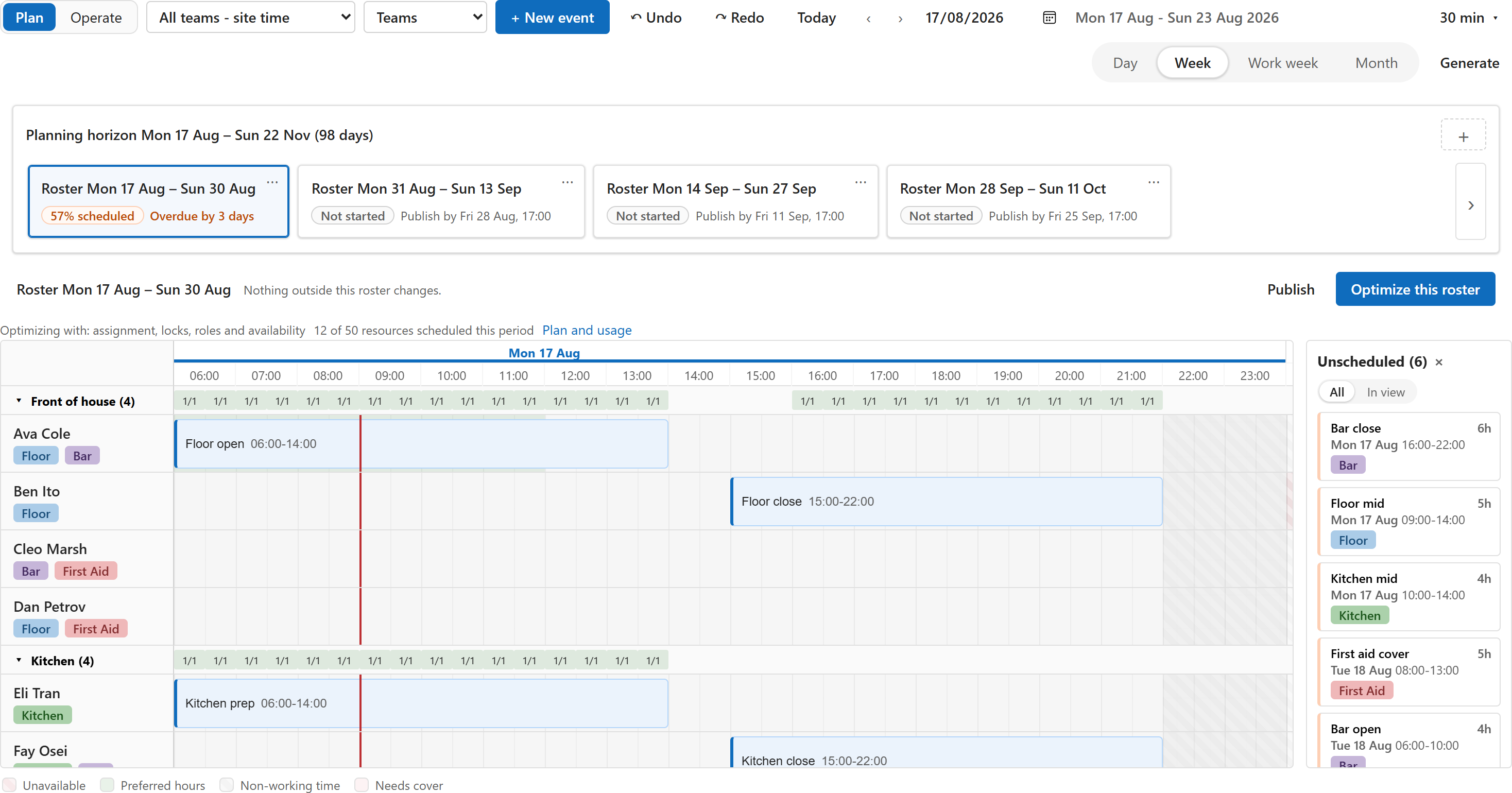
Ten minutes from download
to your first drag.
One managed solution, three bindings, no account.